


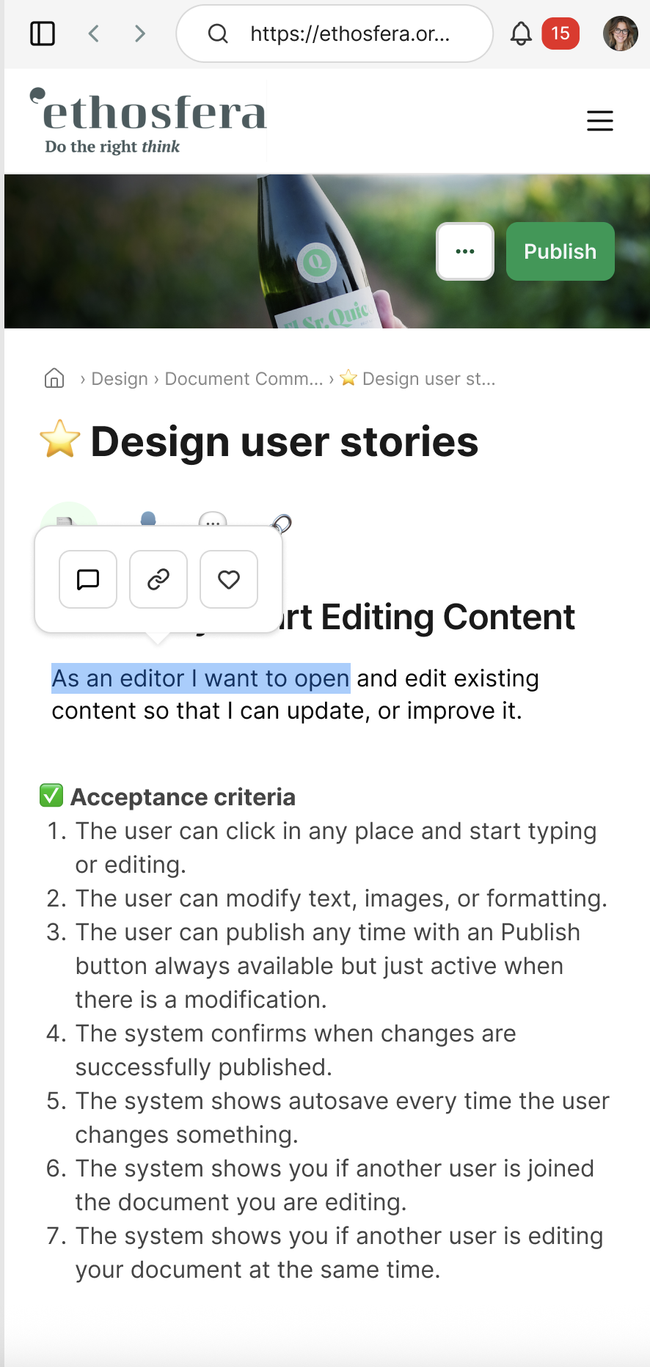
As a user I want to select a text, image and video so that I can perform format actions on them.
Acceptance Criteria
The user can click on any editable area of the document and start editing immediately.
The user can update existing text and add new text.
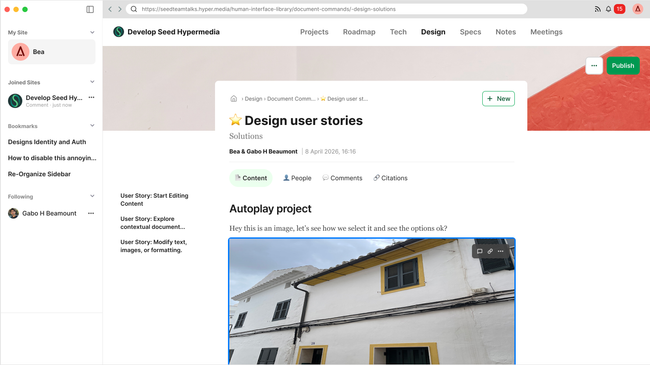
The user can add, replace, resize, select, or remove images or videos.
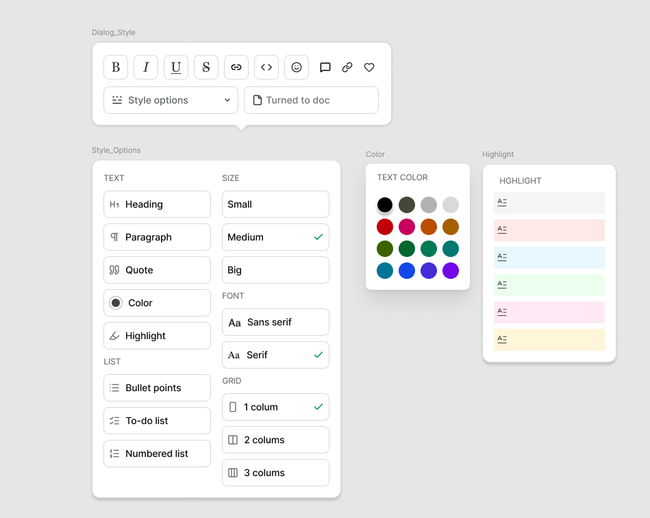
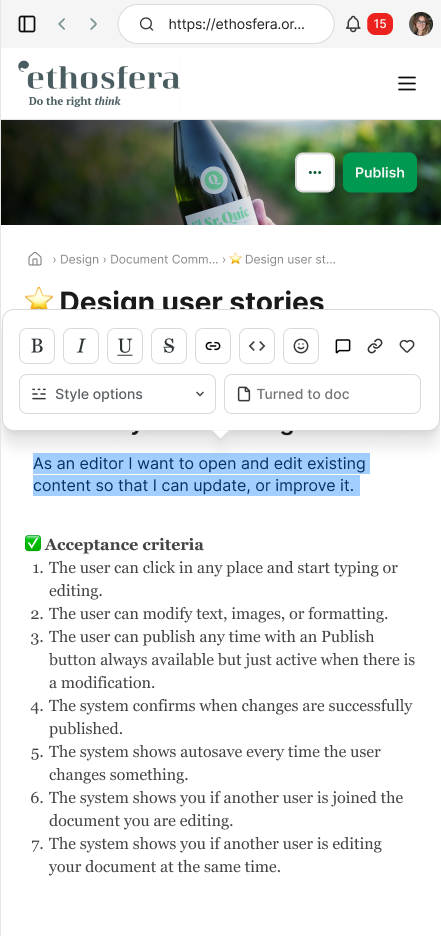
The user can apply formatting such as bold, italic, underline, headings, lists, text color, highlight color, font size, and other available style options.
Changes appear instantly within the document.
User story prototype video
Basic Flow
User opens a document.
User clicks into a text block or content area.
User makes changes to the content text by clicking any option in the text dialog.
User clicks into an image or video to select it
User continues editing anywhere else in the document.
User clicks Publish.
System publishes the updated document.
UI considerations
For color:
https://tailwindcss.com/docs/colors
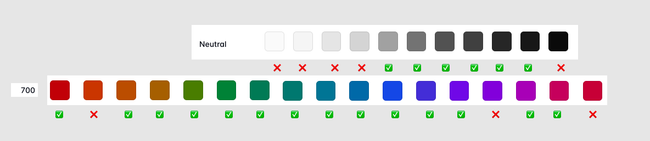
700 for text color (we don't need all- see selection)
100 for highlight
We need neutral (see selection)
For highlight:
If select words result is underling
If selects a text block result is full background
@Untitled Contact check this: Theming Prototype - For overall site styling set up by the site admin.
Do you like what you are reading? Subscribe to receive updates.
Unsubscribe anytime