


As an admin or editor, I want to create documents and folders so that my space stays structured and navigable.
Acceptance criteria
🧠 Key Mental Model Takeaway
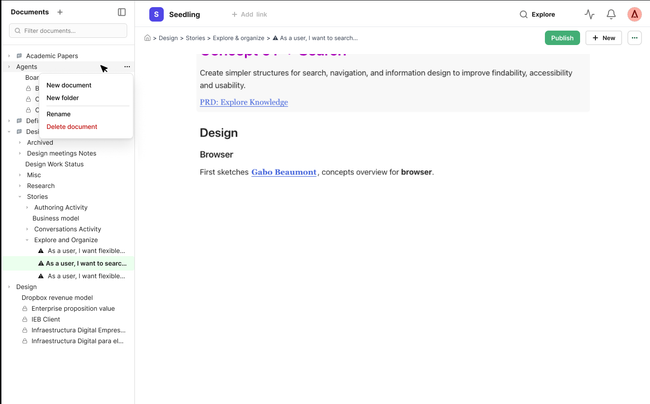
User creates a folder (document browser right-click → New folder) → It serves to structure the content on the document browser.
User creates a content block - group of documents (name to be defined) in the New CTA → a view automatically appears in the document browser (I will remove doc. creation from slash command)
The view type (simple, list, cards, compact) can be changed at any time from the content block (related US Work in progress)
Adding or removing a document from either view updates both. A document can belong to multiple content blocks if it is duplicated.
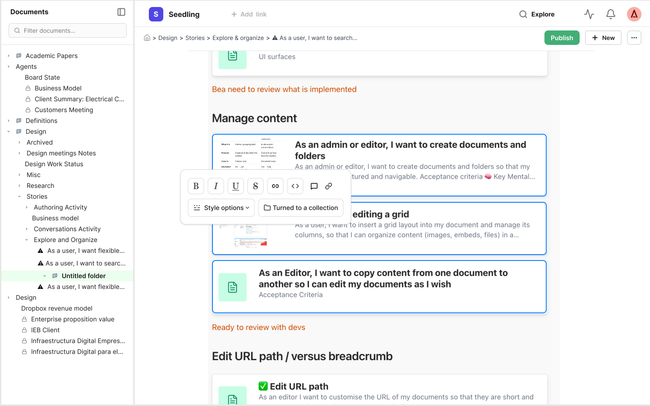
User can create a content block from docs selection ( as turn into a doc works now)
Document browser → shows it as a folder (collapse/expand, organize)
Content area → shows it as a content blocks container (interactive, editable, different views)
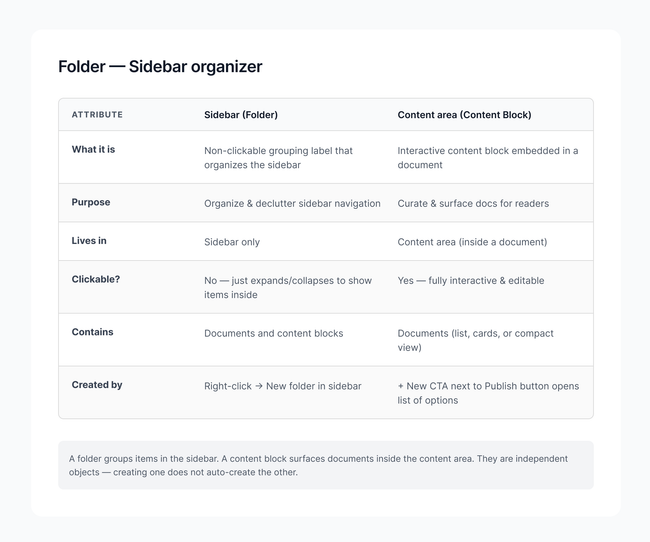
Friction with current mental model where documents can have subdocuments
Content block = organizational container with documents
These are the ones we just defined , creating one in the document browser auto-creates a content block in the document, and vice versa. They group documents for organizational and curation purposes.
Document = has its own content, can also have children (nesting)
A document can contain other documents as children, like Notion's pages-within-pages. The parent document is clickable and has its own content — it just also has children nested under it.
I think Folder is the right call because is connects with the universal mental model , everyone instantly understands "folder = container for documents.
Maps to the 📁 icon in the document browser ➡ what you see is what it's called
"Document collection" is descriptive but heavy. "Content block" describes the view, not the object. "Folder" describes the thing itself.
Design
Creating a folder on the content area
Content block simple default view when creating
*We can also show dialog on creation for user to select view
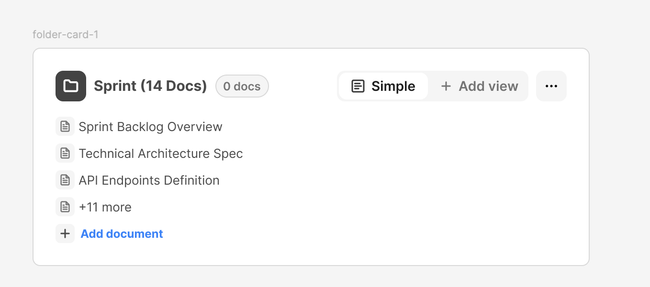
Creating a content block from docs selection
Creating a folder on the document browser
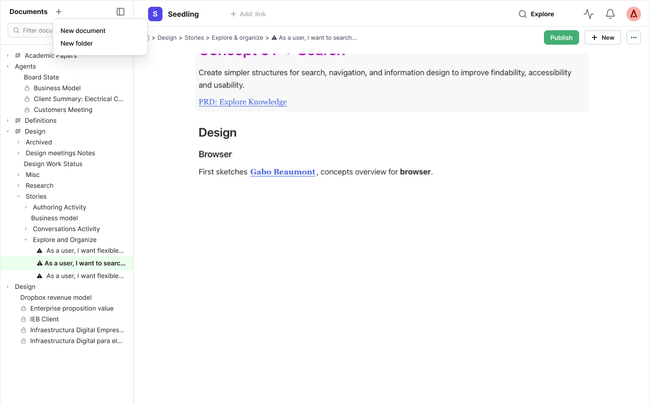
Review Folders from Gabo.
Document browser → shows it as a folder (collapse/expand, organize, click)
Do you like what you are reading? Subscribe to receive updates.
Unsubscribe anytime