

As an admin, or writer I want to give access to my document(s) so that I can control who sees and contributes to them.
Acceptance criteria
Sharing access
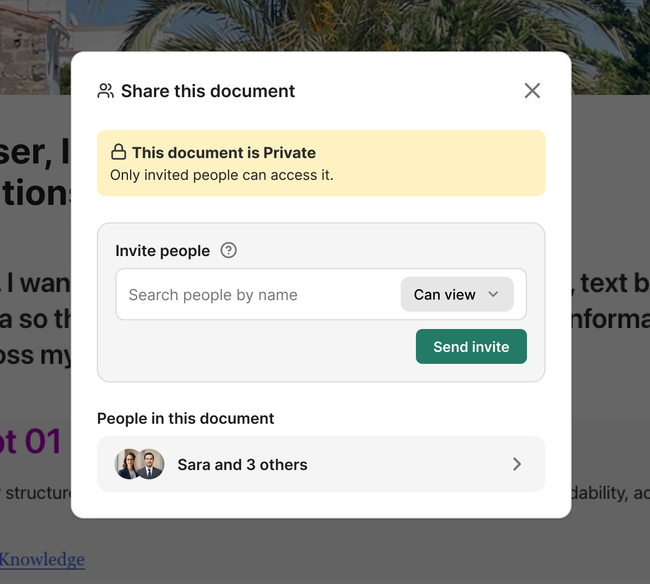
Admins and writers can share a document or group of documents through contextual actions in the document or its preview - (⋯).
Private documents only support invitations by email — On a first stage, people can be found by searching for users who already have a Seed account.
Public documents support invitations by email and link. — On a first stage, searching and link.
Space and document visibility
In Public spaces, admin can make individual documents private.
In Private spaces, documents cannot be made public.
Inviting someone to a document in a Private space limits access to that document and its subdocuments.
Inviting someone to a document in a Public space grants access to the whole space.
In a Public space, document sharing just preview people who has writer role.
Inheritance and permission management:
Document-sharing permissions cascade to subdocuments.
People invited to a parent document cannot be removed from its children.
Additional people can be invited to child documents.
Admins can change roles and remove access.
Writers can change roles and remove access, except for admins.
How access is given:
Admin or writer can give access to a document or group of documents from contextual actions in the document itself or in the document preview.
In a Public space, admins can make individual documents private.
In a Private space, documents cannot be made public.
Design
Sharing access to a document on a public space
Sharing access to a document on a private space
In the first stage by looking for a member name who already has an account on Seed.
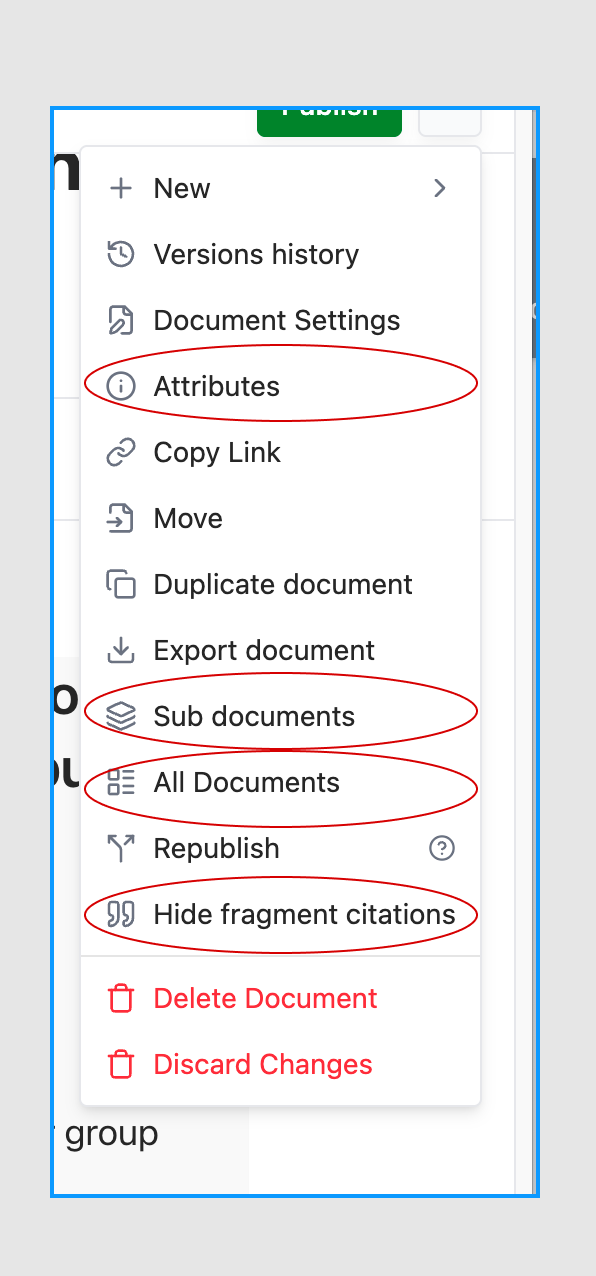
Clean 🧼 contextual options list
Take the opportunity to clean up the list of options by prioritizing them and grouping related actions.
Remove options that don’t make sense. This list shouldn’t become a “dumping ground” for options that we don’t know where else to place 🗑️🗑️
"All documents" do not need to be here since we have the doc. browser. Remember the UX principle of keeping actions in one place rather than duplicating them across multiple locations.
"Subdocuments" Since we have the doc. browser we can remove this. The way it looks when you click is really weird UX.
Why we have "Hide Fragment citations"?.
Reconsider where Attributes belongs; its current placement doesn’t feel UX-friendly.
Do you like what you are reading? Subscribe to receive updates.
Unsubscribe anytime