

Projects
Private documents can be organized
Documents can be anywhere in the Path.
create a private document, toggle as private or document. Task!
Revocations
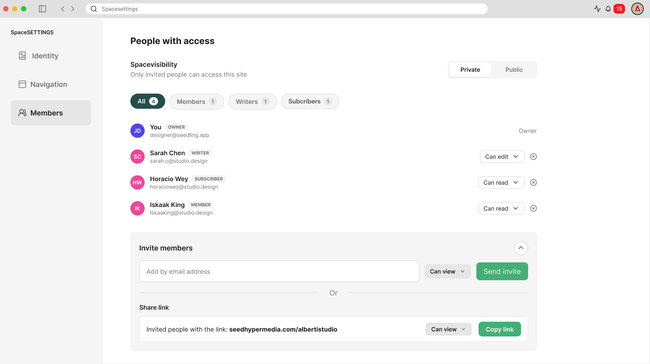
owner->admin->writer->reader
Share link
Invite Link and Email
What is the difference between Private Space and Sharing Permissions?
HMW
HMW, create a completely public space?
HMW, create a private space?
HMW, share specific documents with others?
HMW, create private sections?
HMW, change visibility options?
HMw, see the whole picture?
HMW, make the home document public for a private space?
HMW, make the home document private for a pivate space?
HMW, invite somebody just with an email or a private link?
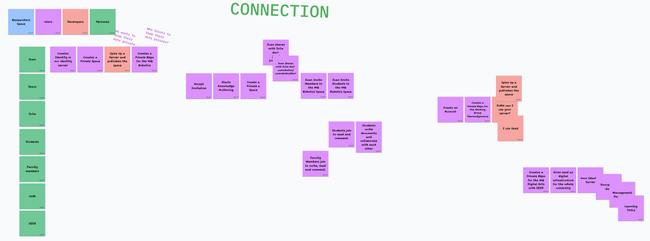
HMW, explain users that they want to run their server to keep their data private.
HMW, provide with granular permissions?
HMW, make students know where to create a document?
HMW, know how and where to participate?
HMW, make spinning up a server easy?
From Private to Public
Pathnames might be only readable by users with reading permissions.
Random numbers in paths are for security purposes, to not leak a document, but overall to avoid collisions with public documents, when private document will get published.
Wedon't want two different experiences neither fro organization, paths,
Private documents require a server for now, until we have peers private lists.
Consolidate moves and redirects.
Paths for directories
Is revealing paths a problem?
We need private documents to be organize. Paths for directores is messy. Overall for moves.
Options:
private docs paths don't need to change.
private docs paths are not readable.
Expressing hierarchies through child documents. Mentioning in the ref, with a similar idea the IDs.
We want public and private documents work like this.
Although we can support both.
random urls
we need to be robust on moves and redirects.
We have conflicts.
How is this going to be reflected on the URLs?
How are we showing a private document in public document?
Private Comments
Private comments into public documents.
Private document inside a Private document
What happens when we put private children into a public document?
A reader can't have permissions for a child without having permissions for the parent.
Right now we can't have a private document inside seedteamtalks?
this situation is avoided with Personal Spaces
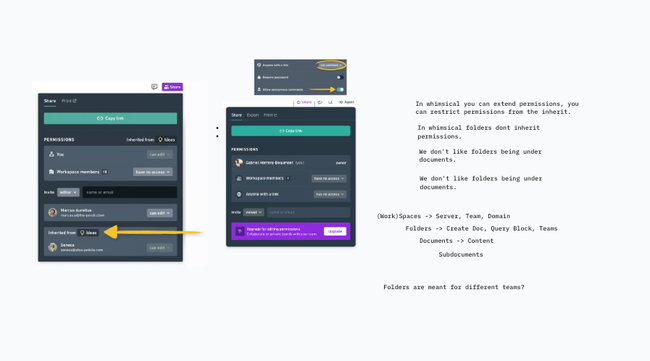
We don't want arbitrary exceptions in inherited permissions?
As an editor, I don't want to inherit permissions from the parent.
Space Visibility is a default
When creating a Space, choose:
Public Space: content is public by default.
Private Space: content is private by default.
This gives users a clear mental model without preventing exceptions.
Dispute
You can do something, or you can't do something by default. Define the paradigm. Read and Write should follow the same paradigm.
Federation
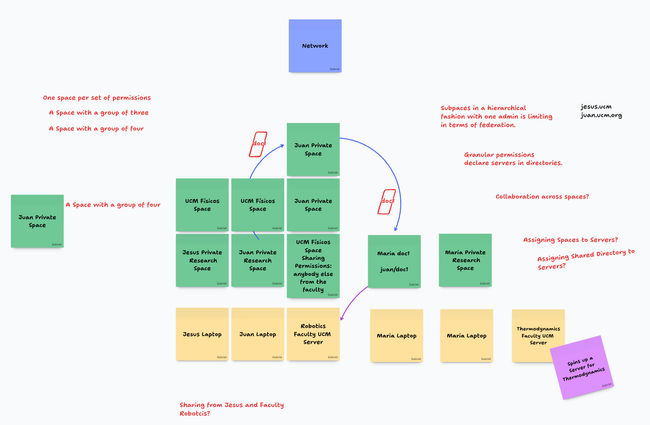
Subspaces organized hierarchically with a single admin are limiting for federation.
Granular permissions, declare servers in directories.
User Stories
Share
As an Editor, I want to allow anybody with a link to read or write in my Document or Space.
As an Editor, I want to publish my document to Writers only.
As an Editor, I want to publish my document to Members only.
As an Editor, I want to publish my document to everybody.
As a Knowledge Worker, I want to share a document with a certain user.
Personal Capability for a document. Only a flag capability!
Invite
As an Editor, I want to invite Readers or Writers to my Document or Space.
Request Access
As a Reader, I want to request access to read a private Document or Space.
As a Writer, I want to request access to write on a Document or Space.

No Gos
WhatsApp separate groups
We considered a WhatsApp-style model in which every unique combination of people and permissions requires creating a separate group. We rejected this approach because it makes access control fragmented and difficult to maintain: changing who can view, edit, comment on, or administer content would often require creating another group, duplicating membership, and keeping overlapping groups in sync. As the community grows, the number of groups would multiply, making permissions harder to understand, audit, and revoke. Shared permissions should instead allow roles and access rules to be assigned directly to people and resources, without creating a new group for every combination.
Do you like what you are reading? Subscribe to receive updates.
Unsubscribe anytime