


Isabella
Menu to transition in app to all types of identity view (site home, site feed, and profile view)
Starting in the app on the site home in the bottom right hand corner there will be tabs to navigate this identity views.

The profile view will be contained in the contacts page. Here users can navigate though the profile which will contain account activity, collaborator list, members list (authors and commentors) and any other relevant information.
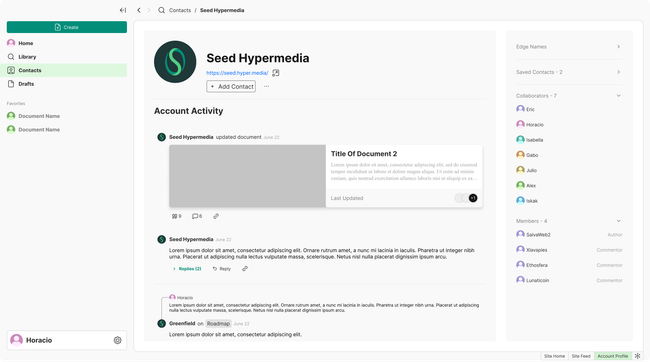
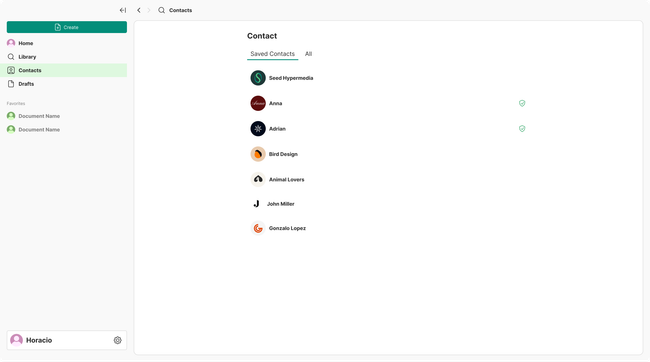
Additionally as contact will be contained in the contacts page, this one will show the contacts listed and when opened they will display the profile on full screen allowing users to use the bottom tabs once again to navigate back to the identities other views.
Web
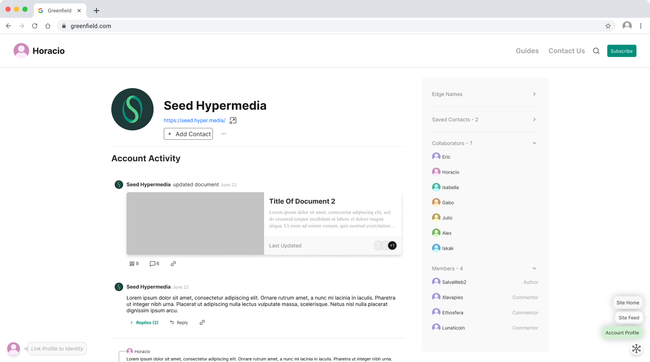
On web the tabs from navigation will also be in the bottom right corner.
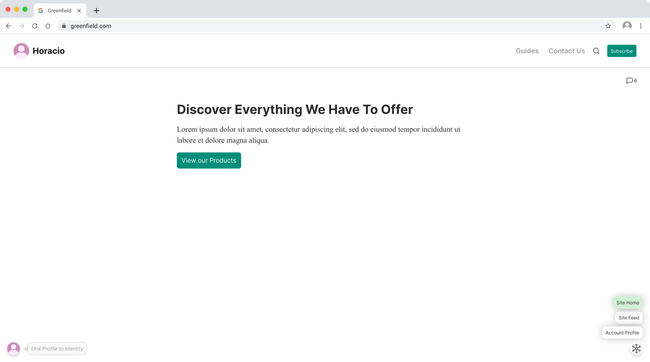
From here the user can easily navigate to the owner of the site's profile or feed, liberating the space form the the site navigation.
Mobile

Gabo
I like perplexity and, in general, the new design zeitgeist that AI is bringing. It instantly conveys to the user that the Site wants them to participate. However, we need to hide it elegantly when reading or scrolling!
A Comment should always have two key information: 1. where it is going to be stored on the site. 2. Who is going to be notified, and who are the recipients?
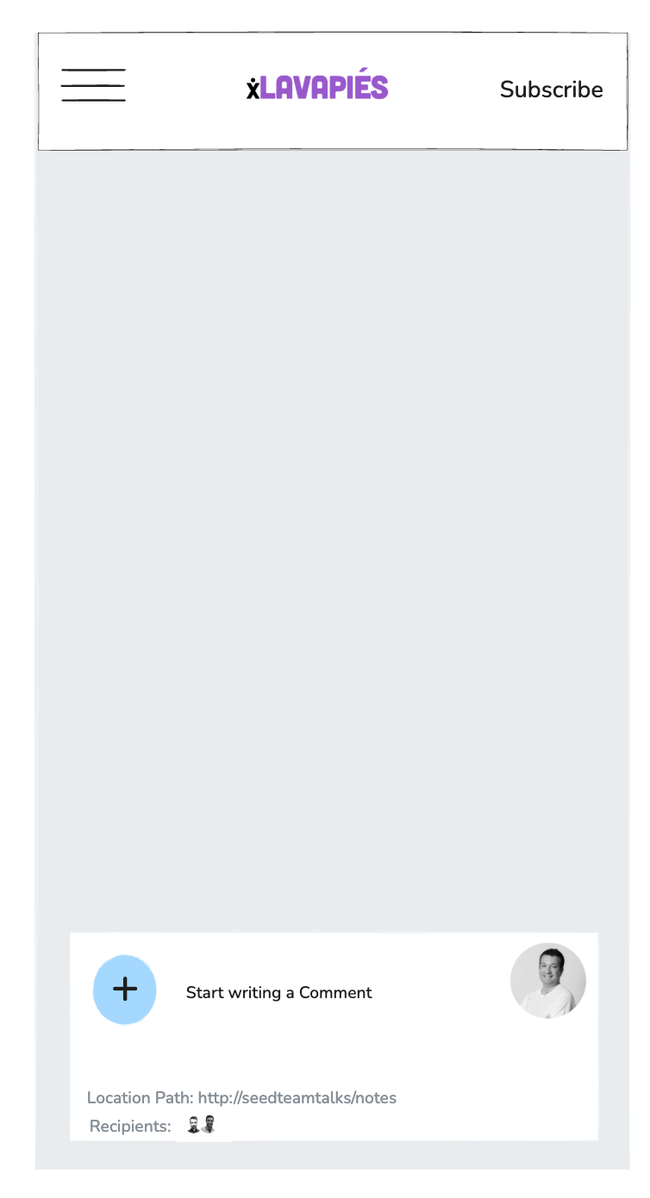
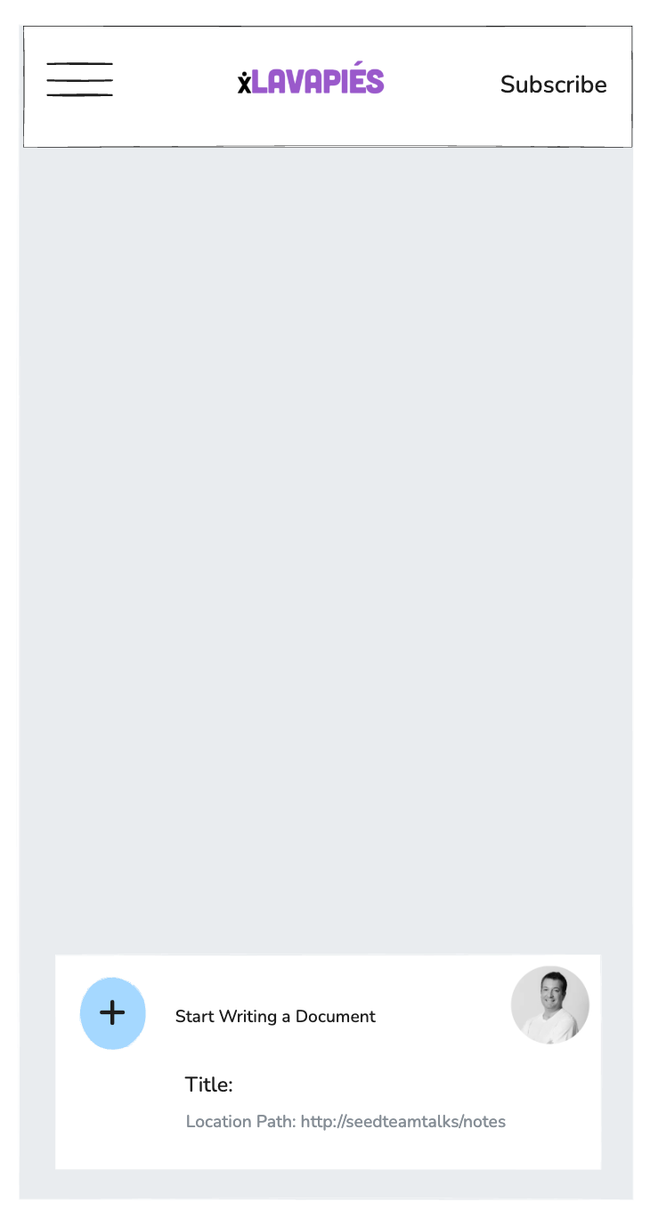
I like the posibility of chaning the actions of the Comment box to AI prompt, creating a new document, changing document views, even use it as a command line!

I like the posibility of chaning the actions of the Comment box to AI prompt, creating a new document, changing document views, even use it as a command line!
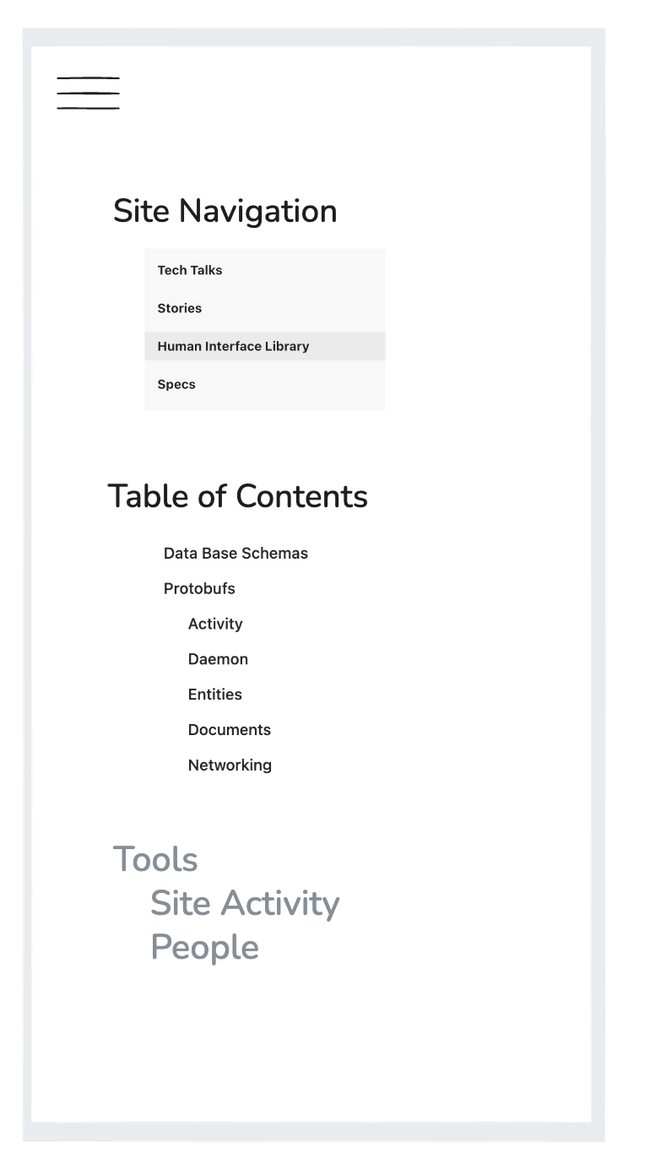
Publishers want control of the information shown on its device. I believe that the bottom of the burger menu is a nice place!
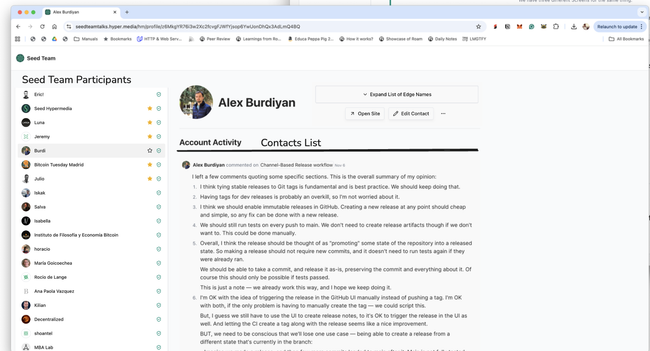
Participants List everywhere and merged Profile and Contact pages!
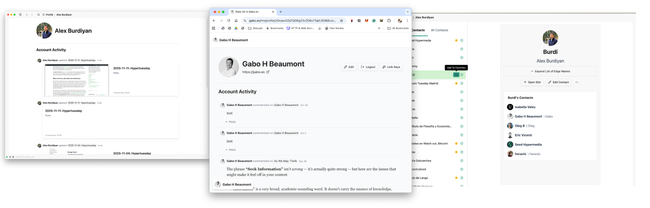
The User needs to understand how our identity system works to encourage them to create an account, link identities, participate on a Site, and even invite others. An easy way to understand an identity system is to browse the Site Collaborators List and have the Profile page everywhere; we still need to unify the experience. We have fragmented screens, which make it highly confusing for our users to understand how the system works.
Horacio
After doodling for almost 2 calendar days, this is the best sketches I got. I had other solutions, but this ones are the ones that convince me the most. Below I will try to explain a bit each and add some hints on some UX for them.
Site Home
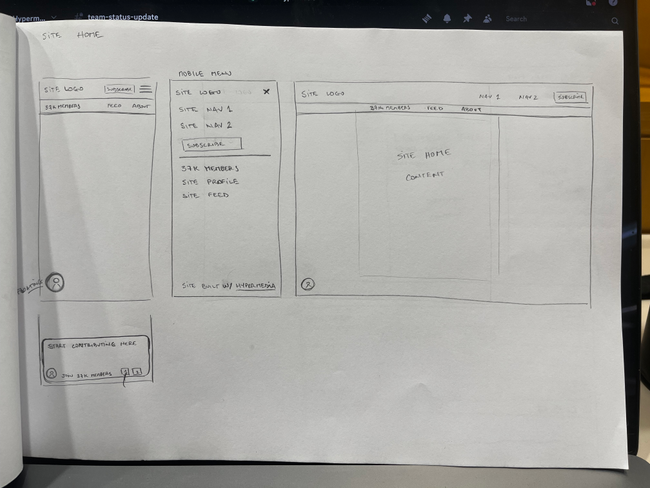
Based on the idea that everything on the top bar is about the site and everything about the document goes at the bottom, I decided to add an extra bar at the bttom of the titlebar for this extra buttons (site people, feed and site profile)
We can hide this new bar when the user scrolls, to free some space for the actual content of the document.
I tried to do the perplexity bottom floating comment box but it felt weird to combine the new special buttons + the readers identity + the comment box.
on Desktop (both web and app) we do add the same bar.
when we are rendering another site that is not the one for the current domain, we can either add the extra green bar at the top or another special indicator that can be a bit more subtle.
Document view
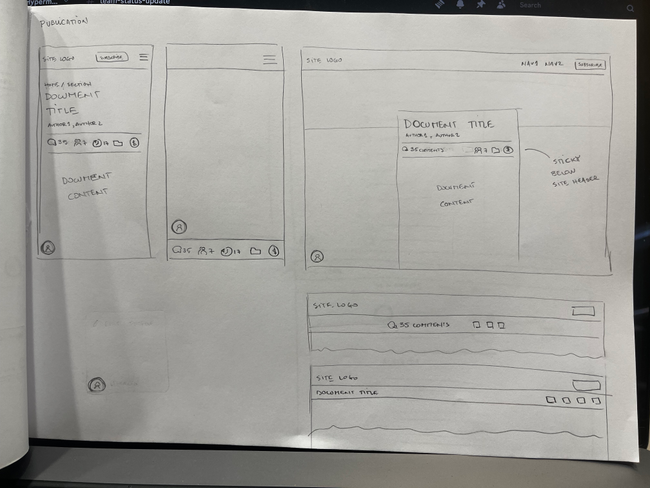
as we discussed in the design meeting, we want to include all the information about the document below the document title. this will be in the form of icons with numbers if they apply.
on mobile there are two options:
Show the buttons below the title and them make that bar sticky at the top
render a tap bar at the bottom that is sticky across the whole mobile experience. (this is my preferred option)
on desktop, we can render the elements below the document title and a bit bigger than on mobile.
what we can also do (to stay consistent with mobile) is that after the buttons below the title are not visible, we show a sticky bar below the site header. This will make those buttons accessible across the whole document length.
You can see the options below the desktop sketch. There are also two alignment options. the nice thing about the second option is that it also renders the title of the document (which I believe its a nice touch).
People (profiles)
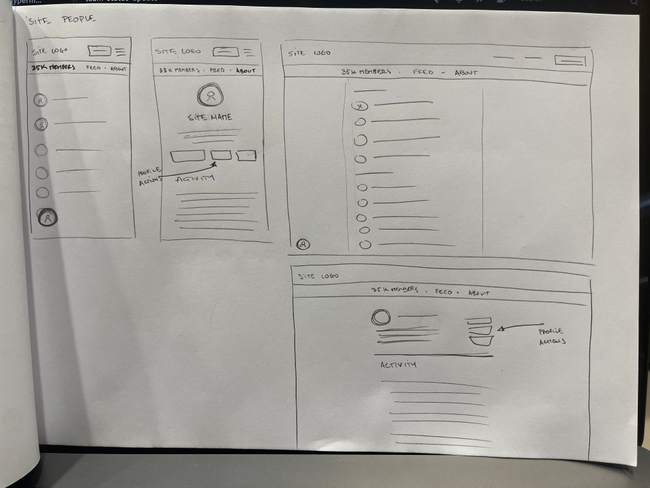
on mobile is pretty straight-forward, because we cannot do much more than this:
the main view is the list of profiles
when you click one item, you go and see that profile.
The profile view should have some interactions the reader can do. some options can be: follow, subscribe, see site, add as contact...
on desktop, I know we talked about doing a "master-detail" view of the profiles the server have, but after considering some of the interactions, I believe the best thing we can do is to render the list of profiles alone, and when clicking we show the profile alone too.
I think that considering how people will be able to navigate from profile to profile, and considering that on mobile is already like this, I valued more the consistency across devices + the profile-to-profile interaction than anything else.
I left space to add a small "bio" or "description" alongside the profile icon.
below as we decided, we will render the activity of that account on the particular server (for custom domains and sub-domains) and everything inside the gateway.
Reader identity Interaction
I left the reader identity at the bottom left corner floating over all the content.
The interaction I think we can add to this icon, is:
If there's no account, clicking in the icon will open a "create identity" modal dialog
If there's an account, clicking in the icon will open a anchored popover with common actions around the identity.
The icon will have a small bubble when there are notifications or for example the link identity message to call the attention of the reader.
Do you like what you are reading? Subscribe to receive updates.
Unsubscribe anytime